
AI Helper
Built-in AI chatbot assistant to help you navigate and use KC360 effectively.
AI Helper
The AI Helper is a built-in AI chatbot that assists you in using KC360. Ask questions, get guidance, and perform quick actions without leaving the interface.
Accessing AI Helper
- Click AI Helper in the sidebar
- The chat interface opens
- Type your question or request
app.kingcaller.ai
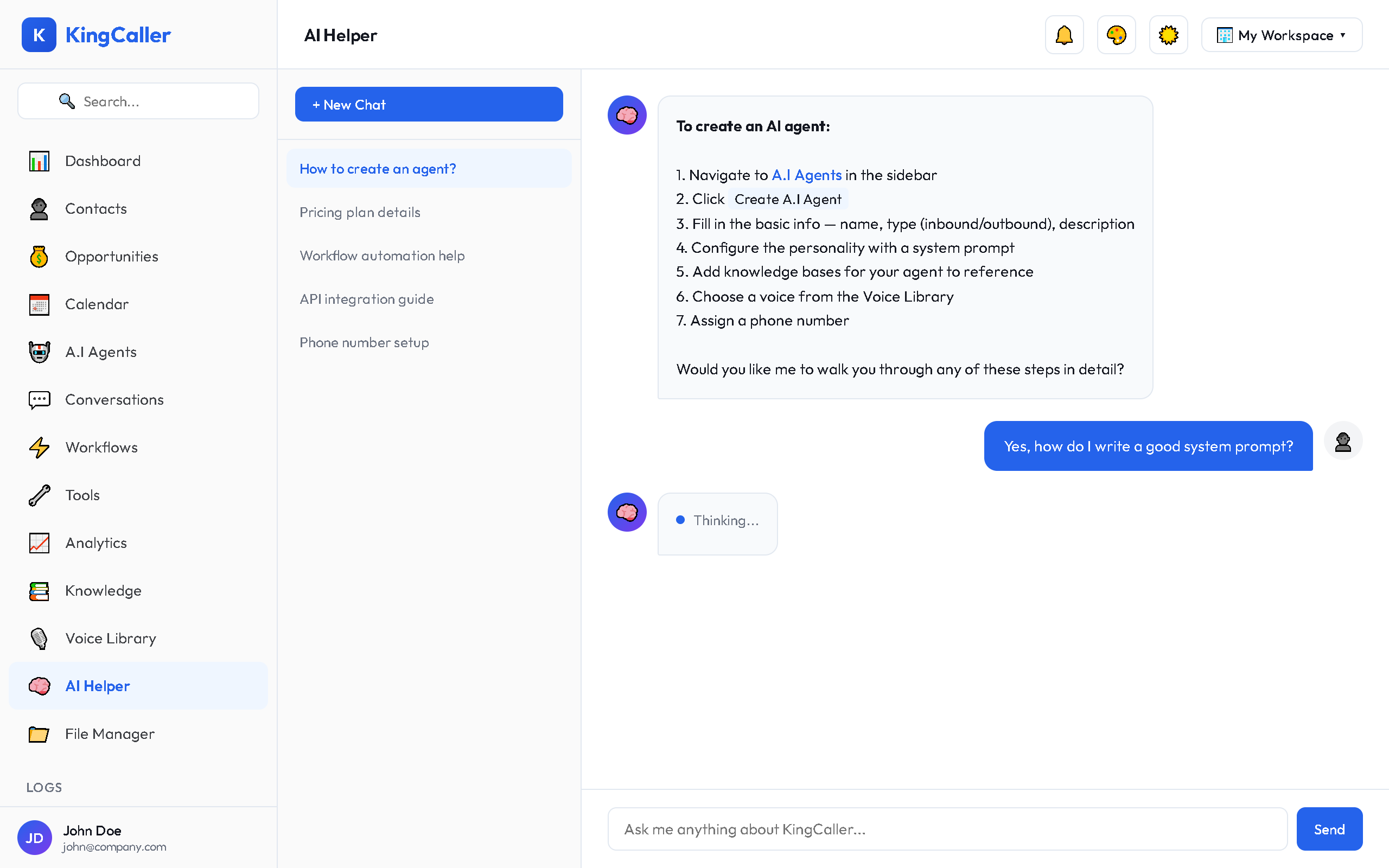
Conversations
- Multiple conversations — create separate chat threads for different topics
- Conversation history — previous chats are saved for reference
- New Chat — click + New Chat to start a fresh conversation
What You Can Ask
The AI Helper can assist with:
| Category | Examples |
|---|---|
| How-to | "How do I create a new AI agent?" |
| Troubleshooting | "My workflow isn't triggering, what should I check?" |
| Feature discovery | "What can outbound campaigns do?" |
| Best practices | "What's the best voice for customer support?" |
| Configuration help | "How should I set up my agent's VAD settings?" |
Quick Actions
The AI Helper includes preset quick actions for common tasks:
| Quick Action | What It Does |
|---|---|
| Create Assistant | Walks you through creating a new AI agent |
| Add Contact | Guides you to add a new contact to CRM |
| Create Campaign | Helps set up an outbound campaign |
| Build Workflow | Assists in building an automation workflow |
| Create Tool | Guides you through tool creation |
| View Analytics | Directs you to the analytics dashboard |
Click any quick action button to get started immediately.
Model & Usage
- Model: GPT-4o Mini powers the AI Helper
- Usage Tracking: Your AI Helper usage is tracked in your workspace billing
- The AI Helper has context about KC360 features and can provide platform-specific guidance
Tips
- Be specific with your questions for better answers
- Use quick actions for common tasks — they're faster than typing
- Start a new conversation when switching topics for clearer context