
Managing Deals
Create, move, and track opportunities through your sales pipeline.
Managing Deals
Creating an Opportunity
- Click + New Opportunity on the Kanban board or list view
- Fill in deal details:
- Name — descriptive deal title
- Value — monetary value of the deal
- Stage — which pipeline stage it starts in
- Contact — associate with an existing contact
- Notes — any additional context
- Click Save
app.kingcaller.ai
2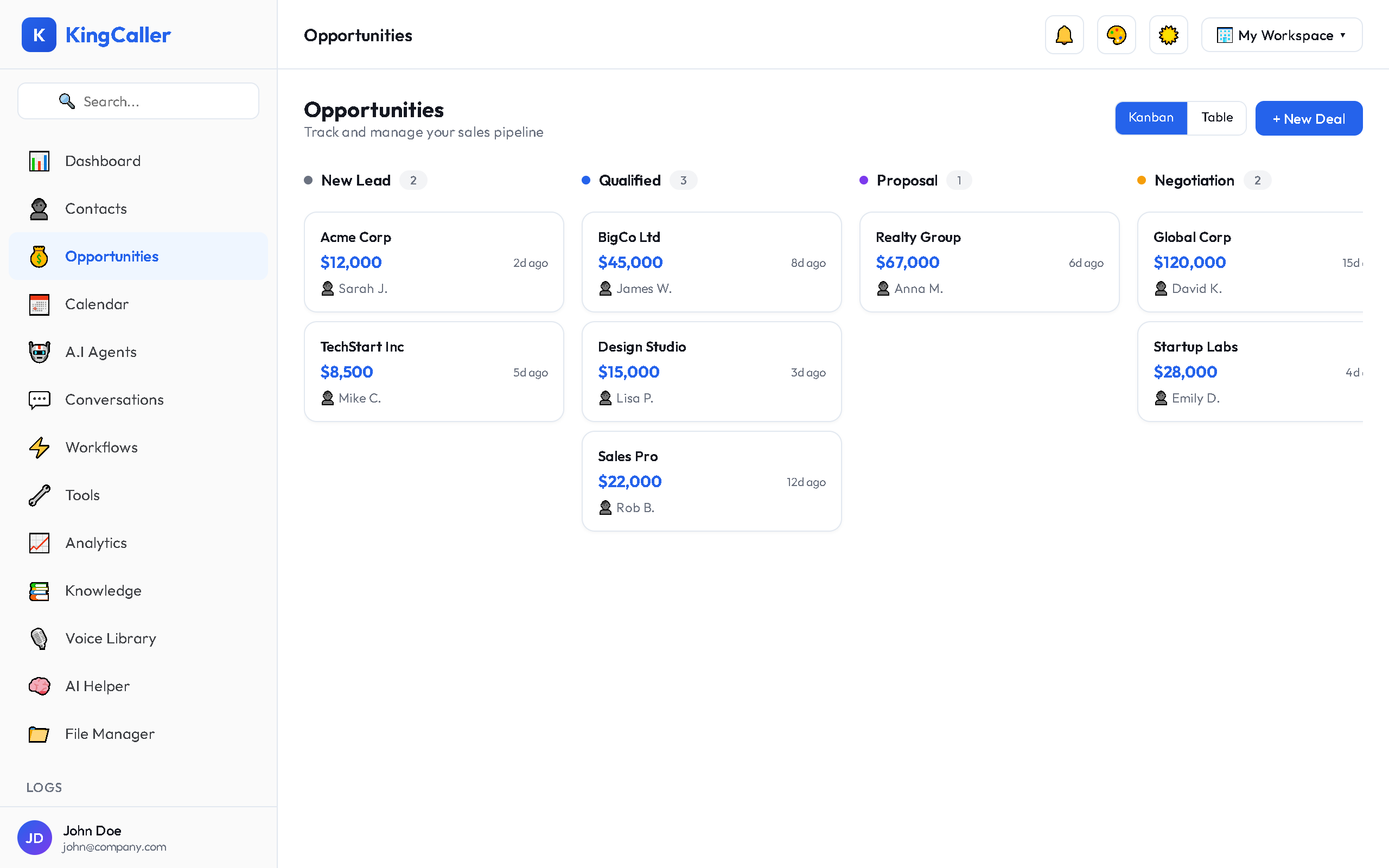
Kanban Board View
The default view shows deals as cards on a Kanban board:
- Each column represents a pipeline stage
- Each card shows the deal name, value, and contact
- Drag and drop cards between columns to move deals through stages
- Cards are stacked within each column, newest on top
Moving Deals
Simply drag a deal card from one stage column to another. The deal's stage updates automatically.
app.kingcaller.ai
List View
Toggle to List View for a spreadsheet-style view:
- Sort by any column (name, value, stage, date)
- See all deals at a glance
- Click any row to open the deal details
Editing an Opportunity
- Click on a deal card (Kanban) or row (List)
- The opportunity detail modal opens
- Update any field: name, value, stage, contact, notes
- Click Save Changes
Deal Tracking
Track important metrics across your pipeline:
| Metric | Description |
|---|---|
| Total Pipeline Value | Sum of all open deal values |
| Deals per Stage | Count of deals in each stage |
| Average Deal Size | Mean value across all deals |
| Conversion Rate | % of deals reaching Closed Won |
| Time in Stage | How long deals sit in each stage |
Tip: Keep your pipeline clean by regularly reviewing and closing stale deals. This ensures your pipeline metrics are accurate.