
Reports & Export
Generate and download analytics reports in CSV, Excel, and PDF formats.
Reports & Export
Export your analytics data for external reporting, presentations, or record-keeping.
Export Formats
| Format | Best For |
|---|---|
| CSV | Data analysis in spreadsheets, importing into other tools |
| Excel (.xlsx) | Formatted reports with multiple sheets |
| Shareable reports, presentations, printable records |
How to Export
- Navigate to Analytics
- Set your desired date range
- Click the Export button (top right)
- Select the format (CSV, Excel, or PDF)
- The file downloads to your computer
app.kingcaller.ai
3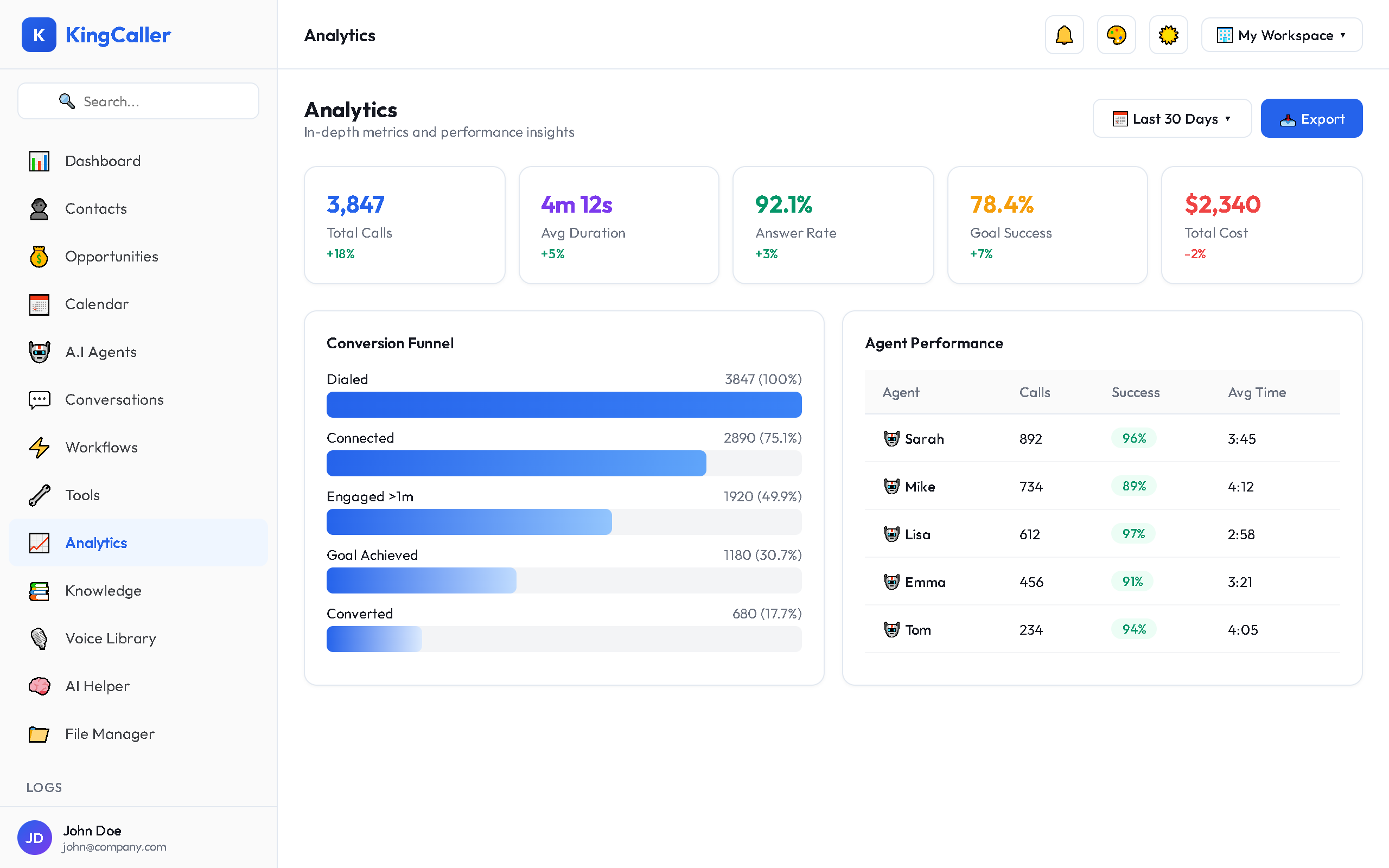
What's Included in the Export
| Section | Content |
|---|---|
| Summary | KPI headline numbers for the period |
| Call Log | Individual call records with details |
| Agent Summary | Per-agent performance breakdown |
| Daily Breakdown | Day-by-day metrics |
| Campaign Results | Campaign-specific data (if applicable) |
Scheduling Reports (Coming Soon)
Automated report delivery is planned for a future release:
- Daily digest — emailed every morning
- Weekly summary — emailed every Monday
- Monthly report — emailed on the 1st of each month
Tips for Using Reports
- Export monthly for trend analysis across periods
- Use CSV exports to build custom dashboards in tools like Google Sheets or Tableau
- Share PDF reports with stakeholders who don't have KC360 access
- Compare agent performance exports to identify training opportunities