
Workflows Overview
Automate repetitive tasks with visual workflow automation builder.
Workflows
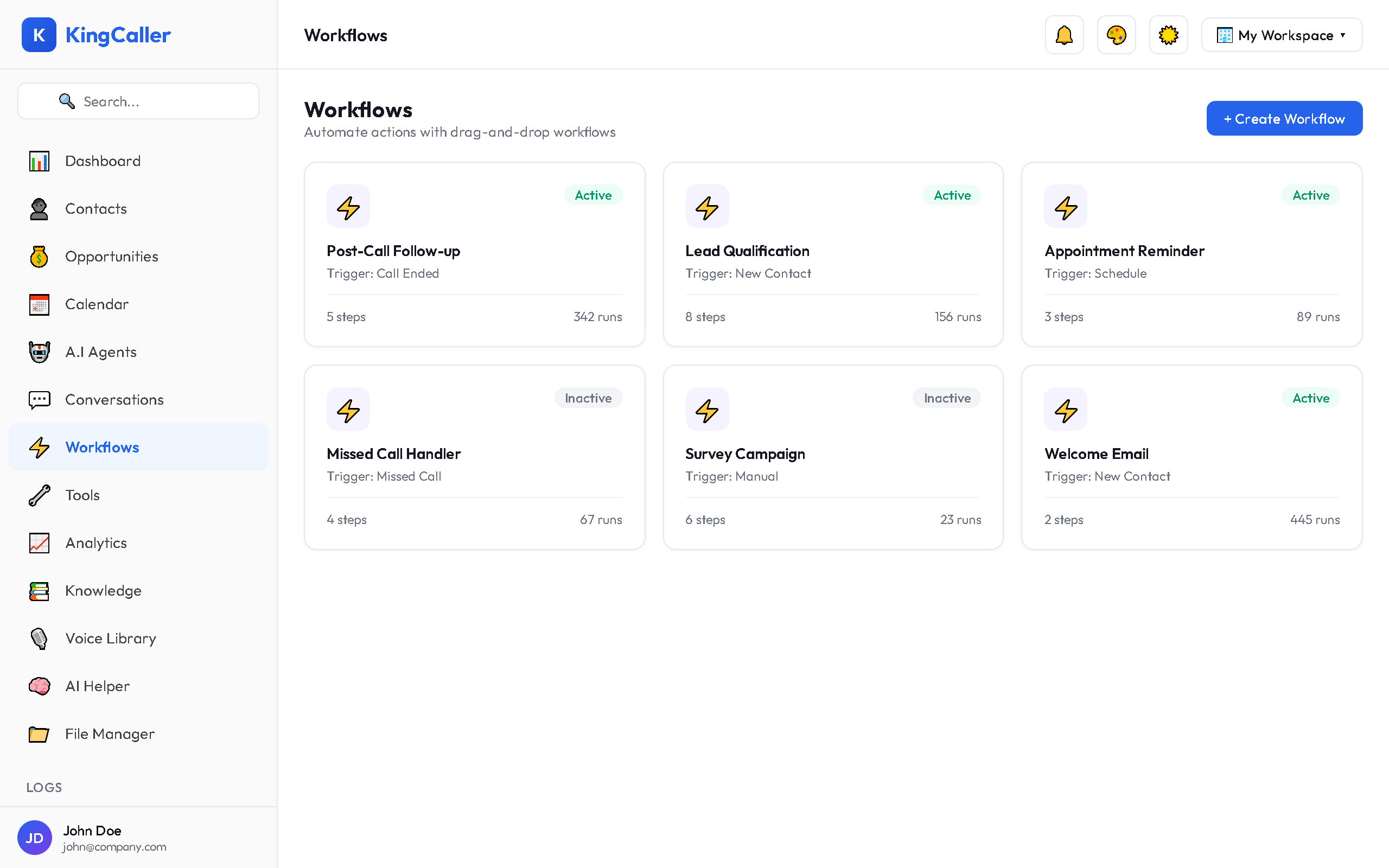
Workflows let you automate repetitive tasks and build multi-step business processes with a visual drag-and-drop editor. No coding required.
Key Features
- Visual workflow builder — drag-and-drop node editor
- Trigger-based automation — start workflows from events
- Multi-step logic — conditions, loops, delays, branching
- Integration actions — connect to external services
- Import/Export — share workflows as JSON files
- Activate/Deactivate — toggle workflows on and off
- Credentials vault — securely store API keys for integrations
Workflow Concepts
| Concept | Description |
|---|---|
| Trigger | The event that starts the workflow (e.g., new contact, call ended) |
| Action | A step the workflow performs (e.g., send SMS, update contact) |
| Condition | A branch point (if/else logic) |
| Delay | Wait for a specified time before continuing |
| Loop | Repeat actions for a list of items |
app.kingcaller.ai
Example Workflows
| Workflow | What It Does |
|---|---|
| Lead Follow-up | When a new contact is created → wait 5 min → send welcome SMS |
| Missed Call Handler | When call missed → send SMS "Sorry we missed you" → create task |
| Appointment Reminder | 24 hours before appointment → send reminder SMS |
| Post-Call Survey | After AI agent call → wait 1 hour → send survey link via SMS |
Quick Links
- Building Workflows — How to create and configure workflows
- Credentials Vault — Manage API keys and secrets for integrations