
Spaces & Articles
Create knowledge spaces and add articles for your AI agents to reference.
Spaces & Articles
Knowledge Spaces
Spaces are themed containers for organizing your knowledge base content.
Creating a Space
- Navigate to Knowledge
- Click + New Space
- Configure the space:
app.kingcaller.ai
3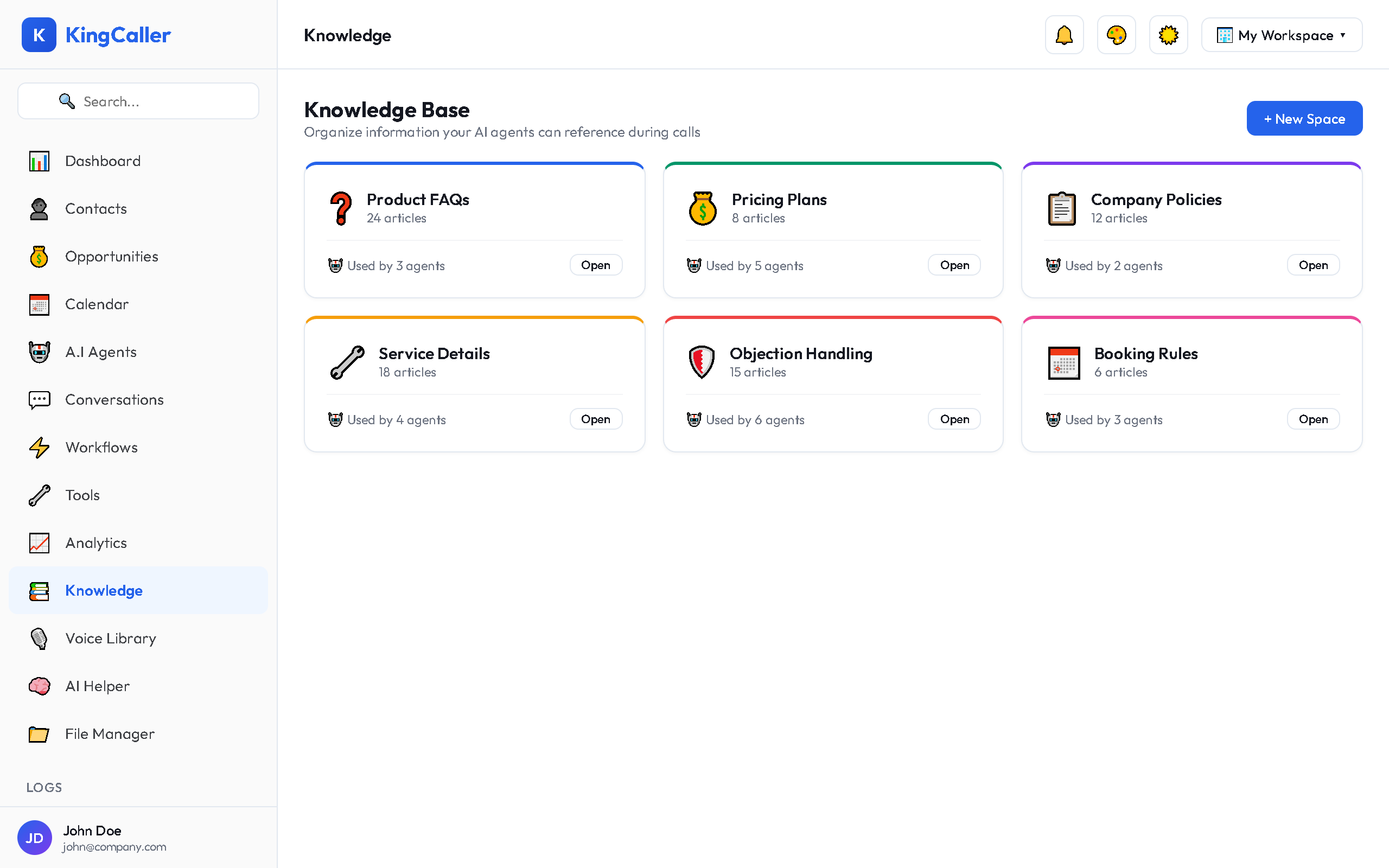
| Field | Description |
|---|---|
| Name | Space name (e.g., "Product Info", "Return Policy") |
| Color | Visual accent color for the space card |
| Category | Grouping category |
| Description | Brief description of what this space covers |
- Click Create
Managing Spaces
- Edit: Click the space card → edit details
- Delete: Click menu (⋮) → Delete (removes all articles inside)
- Search: Use the search bar to find spaces by name
Articles
Articles are the individual pieces of knowledge inside a space.
Creating an Article
- Open a Knowledge Space
- Click + New Article
- Choose the content type:
app.kingcaller.ai
3| Type | How to Add |
|---|---|
| Text | Write or paste text directly in the editor |
| Upload a PDF file — text is extracted automatically | |
| JSON | Upload structured data (e.g., product catalog, FAQ list) |
-
Add metadata:
- Title — descriptive article title
- Tags — searchable keywords
- Category — organizational grouping
-
Click Save
Article Management
| Action | How |
|---|---|
| Edit | Click the article to open and modify |
| Favorite | Click ★ to bookmark for quick access |
| Delete | Click menu (⋮) → Delete |
| Bulk select | Check multiple articles → bulk delete or move |
Tips for Effective Knowledge Bases
- Keep articles focused — one topic per article for better search relevance
- Use clear titles — agents match questions to article titles
- Include variations — add common phrasings customers might use
- Update regularly — remove outdated info that could cause wrong answers
- Organize by space — separate product info from policies from procedures