
Call Features
Make calls, listen to recordings, and trigger AI agent calls from conversations.
Call Features
The Conversations module includes powerful calling features integrated directly into the chat interface.
Built-in Dialer
Make calls without leaving the conversation:
- Open a conversation
- Click the 📞 Phone icon in the header
- The dialer panel opens
- Click Call to connect
app.kingcaller.ai
2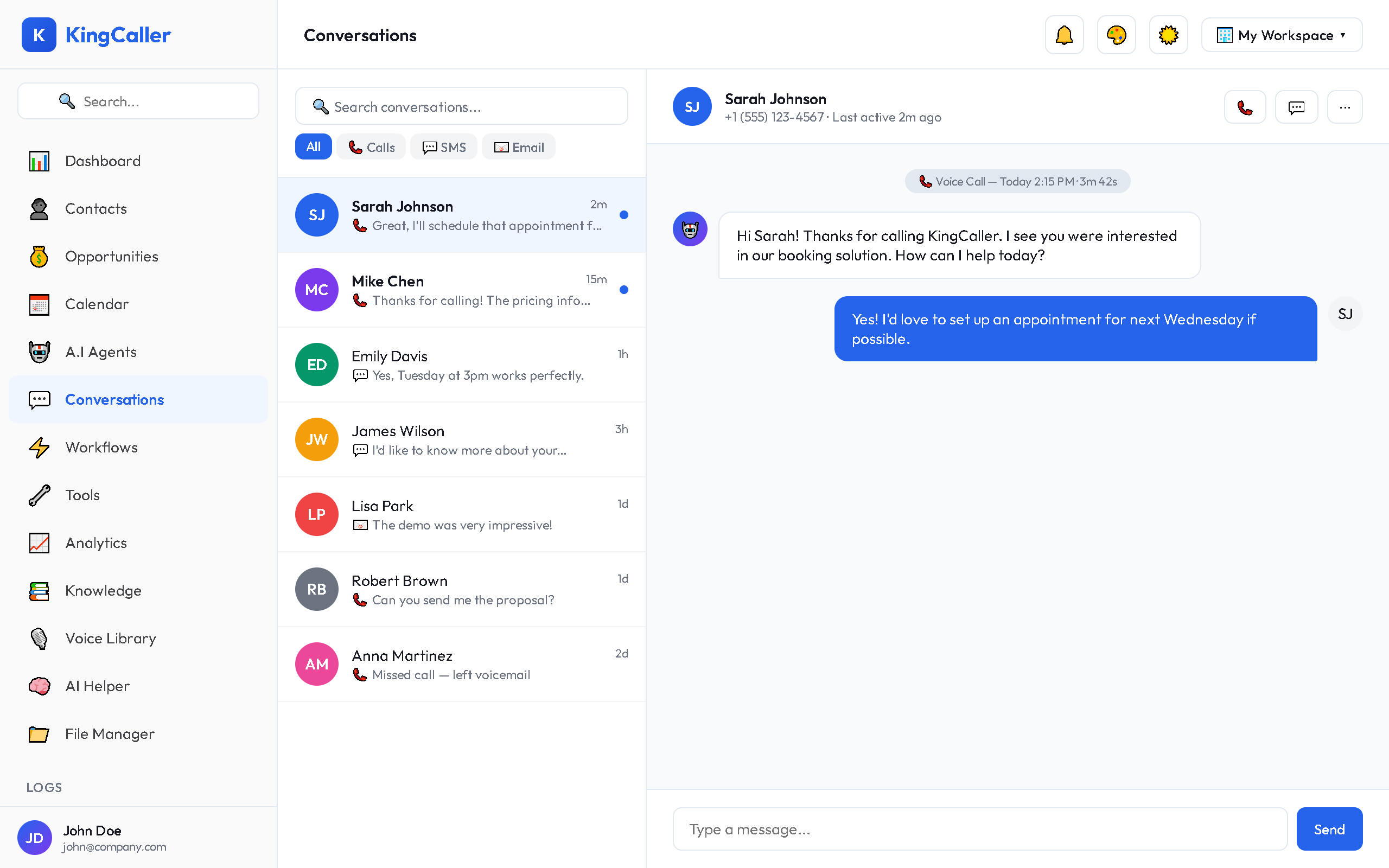
During a call:
- Mute/Unmute your microphone
- Hold the call
- Transfer to another number
- End Call button
Call Recordings
If call recording is enabled on your AI agent, recordings appear in the conversation timeline:
- Find the call entry in the timeline
- Click ▶ Play to listen
- View the transcript alongside the recording
- See the call summary auto-generated by AI
Recording Controls
- Play / Pause — standard playback
- Seek — click the waveform to jump to a specific point
- Speed — adjust playback speed (1x, 1.5x, 2x)
- Download — save the recording locally
AI Agent Calling
Trigger your AI agent to call a contact directly from the conversation:
- Open the conversation
- Click AI Agent Call button
- Select which agent should make the call
- The AI agent calls the contact's phone number
- Results appear in the conversation timeline when the call ends
app.kingcaller.ai
3Call History
Each call in the conversation shows:
- Date & time of the call
- Duration of the call
- Direction — inbound or outbound
- Status — answered, missed, voicemail
- Agent — which AI agent handled the call (if applicable)
- Recording — play button if recording is available