
Call Logs
View detailed logs of all inbound and outbound phone calls.
Call Logs
The Call Logs show every phone call made or received by your AI agents.
Accessing Call Logs
Navigate to Logs → Call Logs
app.kingcaller.ai
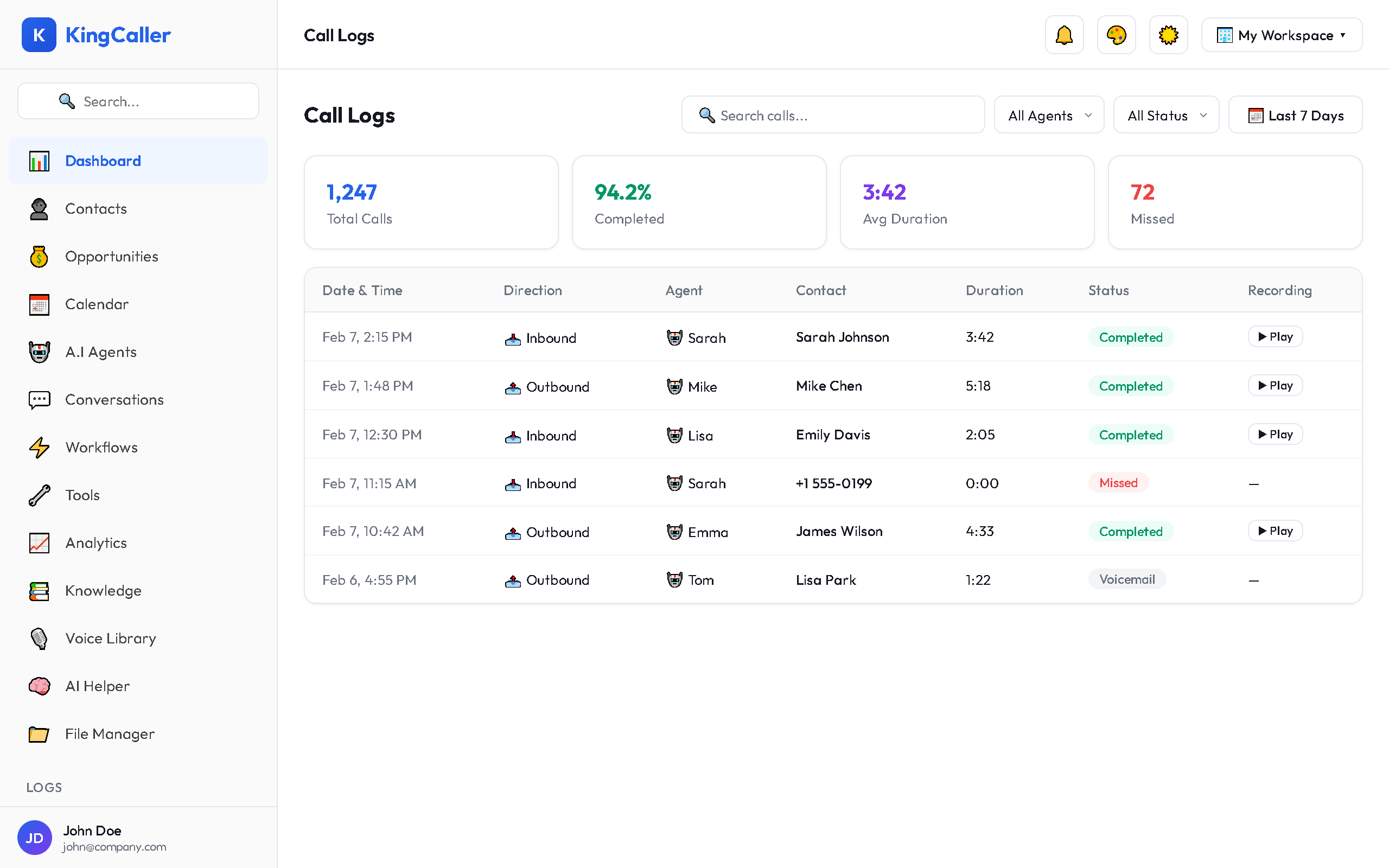
Log Entry Details
Each call log entry includes:
| Field | Description |
|---|---|
| Date & Time | When the call occurred |
| Direction | Inbound or Outbound |
| Agent | Which AI agent handled the call |
| Contact | Caller name / number |
| Duration | Length of the call |
| Status | Completed, Missed, Voicemail, Failed |
| Recording | Play button (if recording enabled) |
| Transcript | View the full call transcript |
| Summary | AI-generated call summary |
Filtering Calls
Use the filter controls to narrow results:
| Filter | Options |
|---|---|
| Date range | Today, Yesterday, Last 7 days, Custom |
| Direction | All, Inbound, Outbound |
| Agent | Specific agent or all agents |
| Status | Completed, Missed, Voicemail, Failed |
| Duration | Minimum/maximum length |
Searching
Type in the search bar to find calls by:
- Contact name or phone number
- Call transcript content
- Agent name
Call Detail View
Click any call entry to see the full detail:
app.kingcaller.ai
- Call timeline — visual timeline of the call
- Full transcript — word-by-word conversation
- Recording player — listen with playback controls
- AI summary — auto-generated call summary and action items
- Tool calls — any tools the agent used during the call
- Metadata — SIP details, latency, cost estimate